Our amazing new site will launch in
Showing posts with label Facebook. Show all posts

Facebook Built-In Shortcut Keys

The internet is full of wonderful gifts and surprises. One great surprise of course is a better way to navigate the internet. Using shortcut keys is one example of this. Shortcuts keys make it very easy to navigate a specific site in this case Facebook. Facebook without a doubt is one of the most amazing sites to meet new people online and share what you like with friends and family. That's why sites such as Facebook strive to add features such as shortcut keys, to make navigating their site much more faster and efficient.


Note: Shortcut Keys are keyboard keystrokes combinations that can make navigating to things a lot more easier.

Using Facebook Shortcut Keys To Make Navigating Faster

Like I mentioned before shortcut keys make navigating quicker, so here are a couple of Facebook shortcut keys to get you started.

Firefox Google Chrome Internet Explorer

Internet Explorer Google Chrome Firefox Function
Alt + Key 1 Alt + Key 1 Shift + Alt 1 Home Page
Alt + Key 2 Alt + Key 2 Shift + Alt 2 Profile Page
Alt + Key 3 Alt + Key 3 Shift + Alt 3 Friend List
Alt + Key 4 Alt + Key 4 Shift + Alt 4 Message List
Alt + Key 5 Alt + Key 5 Shift + Alt 5 Notification Page
Alt + Key 6 Alt + Key 6 Shift + Alt 6 Account Setting
Alt + Key 7 Alt + Key 7 Shift + Alt 7 Privacy Setting
Alt + Key 8 Alt + Key 8 Shift + Alt 8 Facebook Fan Page
Alt + Key 9 Alt + Key 9 Shift + Alt 9 Facebook Terms
Alt + Key 0 Alt + Key 0 Shift + Alt 0 Help Center
(null) Alt + Key M Shift + Alt M New Message
Alt + Key ? Alt + Key ? Shift + Alt ? Search

Now you can quickly navigate Facebook faster and more efficient without any problems once so ever.

The Most Unique Facebook Cover Site


                             A social network blog, Tweeting.com has released a review of over eighty Facebook cover sites. The evaluation was based on unique features, quality of cover photos, quantity and niche targeting. The number one spot was reserved for Hercovers.com, A site dedicated to girls facebook covers for the new timeline. The site is easily the most niche cover site on the web with the target market being teenage girls. A great choice, teenage girls make up the vast majority of any given Facebook cover site's visitors. Among the most most downloaded Facebook covers, are ones with girl related features. The site was said to have a user friendly platform as well as a fresh look and feel to it. The website allows the user to directly upload photos of their choice to their profile. All covers have been sized to fit the timeline's required size at the top of the page.

The first and only girl's Facebook cover website. Featuring over 1700 female related Facebook covers, Hercovers.com is the number one source of female Facebook covers on the web.

Alan Wright Was born in Seattle Washington. In 2011 He Started Reviewing websites related to social media.

Get BOGO bids on Zeekler 
I'm Giving Away Free Bids
I have up to 50 Bids to give away free to play in my penny auction site
Register for free today and I'll load your account with
free bids to play in the auctions and win with! Sign Up today to lock in your spot
http://intensenetwork.zeekler.com/splash/

Create Custom Facebook Cover [Part 2]

How to crate a cool Facebook cover. Custom Facebook design cover. Profile cover for Facebook.
The newest changes in Facebook now require you to add a huge timeline cover image to your profile, one that speaks out and tell everyone who you really are. So if you haven't already upgrade to timeline or read Create Custom Facebook Cover [Part 1] then do so now, it also includes a link so that you can update your Facebook to Timeline.

Here is another quick collection to get you started on customizing your cover [Part 2]. [Share If You Like]

Cover Canvas


Link | CoverCanvas

Cover Photoz


Link | CoverPhotoz

Cover Photo Finder


Link | Cover Photo Finder

FaceCoverz


Link | FaceCoverz

Coverize.Me


Link | Coverize.Me

New Facebook Banners


Link | New Facebook Banners

CoverJunction


Link | CoverJunction

Facebook Covers


Link | FacebookCovers

FBPremiumCovers


Link | FBPremiumCovers

ProfileGen


Link | ProfileGen

My Facebook Cover


Link | MyFacebookCover

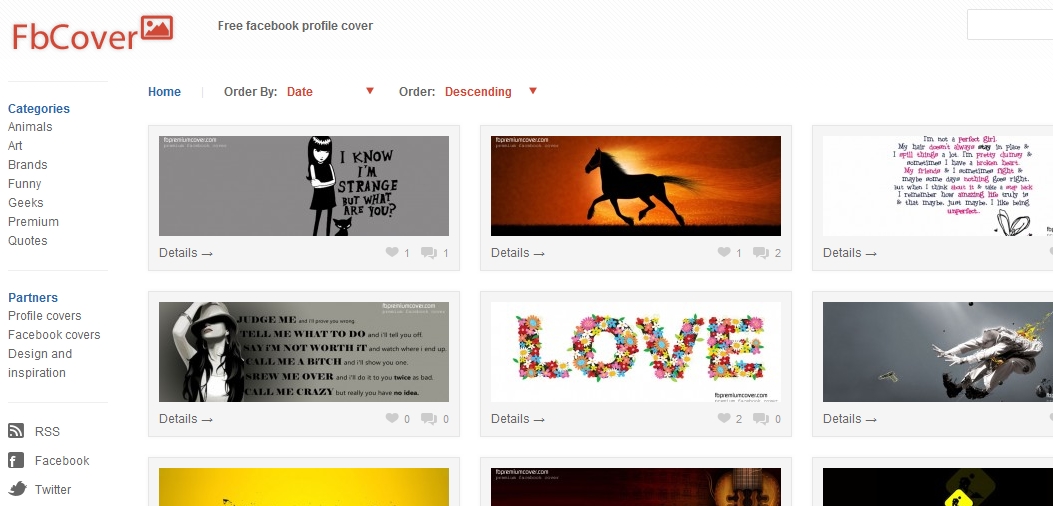
Facebook Cover | Covers Daddy


Link | CoversDaddy

What A Timeline


Link | What A Timeline

Profile Photos To Cover


Link | Profile Photos To Cover

Pick A Cover


Link | Pick A Cover

All FB Covers


Link | All FB Covers

My FB Covers


Link | MyFBCovers

Page Covers


Link | Page Covers

FB Covers King


Link | FB Covers King

Create Custom Facebook Timeline Cover

How to crate a cool Facebook cover. Custom Facebook design cover. Profile cover for Facebook.


Facebook New Timeline Design has struck the world tremendously for a couple of weeks now. Many designers and Facebook lovers have already customized and designed their cover. The customization of the Facebook Covers spiked development of many new websites. These covers (one seen above) are very appealing, you can basically use it as a starting point or an ending point of your timeline you can even change it everyday to say "What's On Your Mind?".If you still do not have Facebook Timeline clicking here will help then click "Get Timeline."

Here is a quick collection to get you started on customizing your cover. Also See [Part 2]

My Facebook Covers


My Facebook Covers is a cool interesting application much like a mini social website. It allows you to download and use free Facebook Covers, and has the option for you to design a custom cover if your custom logo is downloaded the most that week then you receive revenue for your design. Also another cool feature about this website the more design cover you upload a better chance at winning the $100 prize at the end of the month. See myFBCovers.com for more details.

My Facebook Cover Pix


 My Facebook Cover Pix is another cool cover design for Facebook Timeline. I personally like this site not only because their water mark free but for the unique spontaneously designs of the high quality picture perfect cover. :) I guess what I'm trying to say is that they are the unique side of Timeline Covers. See more at FBCoverPix.com

99Covers


 99covers has many designs and collections to choose from for example the above (This is SPARTA!) is just one of the many other awesome Cover design they push out every other day. see 99Covers

Facebook Timeline Banners


 Facebook Timeline Banners great constantly updated banner directory with amazing design (see above).  Very simple high-quality design covers. visit FacebookTimeLineBanner.com  

My Profile Cover


My Profile Cover is another example of a good cover design, they have many cover design ranging from cartoons, quotes, movie, and sports for when sporting season hit, you'll let the world know who and what team you are all for. see myprofilecover for more...

Facebook Profile Covers


Facebook Profile Covers is one of the best sources to find and download Facebook Timeline Covers. Their are tons of categories in which you can find covers, basically a endless source. Visit Facebook Profile Cover for more!

Download Facebook Pictures, Videos, and Data

How to download a copy of your pictures, videos, and data from Facebook. Download your Facebook Profile data. For backup purposes Facebook stores a copy of your videos, pictures and data on their network in case we need to download our archive to transfer them to a new profile.


 Download Pictures, Videos, and Data from Facebook


  • Once again you must log-into your Facebook Account
  • Click on Account -> Account Setting -> or just click "Take Me To Facebook Account Setting"
  • Below the bottom you should see "Download a copy of your Facebook data."
  • Click "Start My Archive"
  • You will get an email when your archive is ready for download.
  • Until then your download will be pending!

Whats In Your Archive?
  • Photos/Videos you've shared.
  • Wall Post, Messages/Chats conversations.
  • Friends name and their Email Address.

Keep in mind that its recommend to protect your archive once you've downloaded it. Reason why, Your archive contains sensitive information such as your private messages, photos, videos and profile information. These are the things that hackers seek/desire. Finding such information is a good day for a hacker.

Better Secure Your Facebook Account

How to better secure your Facebook account from being hijacked. Secure your Facebook account. Facebook try's to apply all of the most recent secure features to their website, but in some cases unless you enable the Facebook features yourself you will never be fully protected. Today I will show you how to enable some features in which can very easily protect your account.


Secure Your Facebook Account


  • Log into your Facebook Account
  • Click Account Setting 
  • On the left plane click the Security Setting
  • Under Security Setting locate secure browsing
  • Click edit and enable the feature
  • You can also change some other features, just read and determine if you'll need the setting enabled.

Block Facebook Email Notifications

How to block Facebook Email Notifications. Block individual notifications from Facebook. Facebook sometimes can be very annoying. The most annoying feature that really "Grinds My Gears" is Facebook email notifications. It tells us who mailed us why we were out, who birthdays this week, and 100 other things that I cannot name but is very annoying. So if you dislike some of the notifications you get from Facebook then why deal with it when you can block them by simply changing your setting.


Facebook Annoying Email Notifications


 So how would I go about to block these annoying notifications? Follow the below steps to find out how.
  • Log-into your Facebook account.
  • Next to the home button click the drop down arrow.
  • Select "Account Setting."
  • On the left pane click "Notification."
  • According to which notification you want to disabled un-check the check boxes.

Connect All Social Sharing Websites - About.Me

How to connect all social networking websites to one another to share them all. Create a free About Me Page to share online with a url. If you're a blogger and love to hang out on Google+, Facebook or any other social networking website then their comes a time when you want everyone to know what social networking website you're hanging out on. This is where About.Me takes over.


Demo

About.Me


About.Me is a place where you can connect all of your social networking profiles together and write a full bio about your self and not have to worry about the hassle of updating numerous profiles a day. With About.Me you can simply share a link with friends and family online, you can even us it as your about page on your blog. Totally up to you!!
Source: https://about.me/

Google+ vs. Facebook

Even as adoption of Google Plus by new users seems to be slowing down a bit less than three months
after its launch in June 2011, the experts are yet undecided as to who will win the battle for number one
place in the social networking arena, Google Plus or Facebook. The bitter lessons that the Internet giant
learned in the social media space with Google Buzz and Google Wave may stand it in good stead, but
in the modern open source age, lessons are really out there for all to learn. Facebook’s privacy controls
debacle has not resulted in a significant drop in active users, following a concerted campaign to educate
them about existing and new features.


Look at how the two social networking platforms stack up against each other when compared from an
end-user perspective.

1. A suite of web services versus a standalone social network.

Facebook, a social network has become a part of our daily lives. While, the highest number of Google
Plus adopters were existing users of other Google services, such as Gmail, Picasa, Google Reader, and
Google Docs. The reason was the ease with which this social networking platform allowed all these
services to be integrated into one place. In addition, for people not using the other web services, joining
Google Plus gives instant and single log-in access not only to all of the services, but also allows users to
use features of other services without actively using them. Google has also cleverly repackaged other
services and built them into Google Plus in a similar way, such as multi-user text and video chat, and a
feed reader in the form of the Sparks feature.

2. Multi-user real time video chat.

The “next big thing” was due in the realm of video chat for quite a while, but no one had really
anticipated the top grade multi-user video chat that came with Google Plus. With surprising image and
streaming quality even on middle of the road broadband line, Hangout really pushes the envelope as far
as technical finesse is concerned. Even though, Facebook came out with a plain vanilla video chat option
soon after, Google has gained the lead as far as this aspect is concerned.

3. Privacy features out in public.

Many observers ascribe the phenomenal early adoption rate of Google Plus to the privacy issues with
the Facebook way of sharing everything with everyone by default. Google Plus circumvents this with
the concept of independent Circles of contacts, letting you share specific content with particular sets
of people. Facebook has a similar level of sharing control called lists, but this was something that many
people were either unaware of or found complicated to access and utilize. Of late, though, Facebook has
begun putting its privacy tweaks out in the open in an attempt to reassure its users.

4. A difficult to beat network in terms of numbers.

Facebook has the incredible advantage of 750 million users, something that Google Plus can only look
at longingly for the near future. With this huge user base and a seven-year lead in the social networking
field, Facebook is at a clear advantage.

5. Innovative users find hidden value in Google Plus.

The fact that Google is often seen as the lone voice in the wilderness against the evil empire of
corporate monopoly has seen a greater adoption of its services by the creative, alternative-lifestyle
population. One of the first trends that set Google Plus apart from Facebook was the innovative ways
that people began using the features on it, from real time video blogging and collaborative writing, to using the streams as classrooms, life-hack tutorials and discussion centers.

At the end of an unbiased pros and cons analysis, it is clear that for those wanting to get on to the social
network to find and reconnect with long lost school friends and family members, Facebook is still the
preferred destination with its sheer volume of users. To date, there has been little in terms of front page
features that set the Stream of Google Plus apart from Facebook’s Wall. The privacy control offered
by Circle is really just a tweak on the List feature, and with the new campaign to promote its privacy
features, Facebook is fast shedding its risky image. For those who migrated to Google Plus thinking it is
a more serious platform, well, you might not have noticed the games tab that has shown up over the
last month! However, the video chat feature in Google Plus is really cool, and it will take some effort to
match it. For users already on other Google services, there is a lot of comfort in this Taco-Bell-meets-
KFC application. But other than these two, there is little to write home about as far as Google Plus is
concerned. For all purposes, both these giants are equally placed in the battle for the social media log-
ins.

About the author: Alia Haley is a blogger who loves splurging on laptops and smartphones. Being a hard
core biker, she is always on a lookout for latest bikes and recently has become a big fan of portable
bikes.

Related Post

Empower your YouTube videos

 How to hack YouTube video interface for more options. Share your YouTube videos with style while keeping high-definition output and quality. Empower your YouTube videos.

Hack YouTube Video Interface
Really! Can I really hack YouTube video interface? Yes you can! That of course with a third party site such as ViewBix Studio, you can also hack and or change the interface of Vimeo and Facebook. You may ask why would I want to change or improve the interface of these three videos sites? Well first off I'm not a big fan of the Facebook Video Interface to me personally it sucks, but what about the YouTube and Vimeo? Well I cannot say anything about the interface's of YouTube and Vimeo other than they lack the advanced option's for off site (non-youtube-sites) embed-meant, Facebook as well.     

ViewBix Studio


ViewBix Studio empowers YouTube, Vimeo, and Facebook interfaces along with adding more advanced options to your videos. With ViewBix your video options are not limited, you can add interactive apps to your videos such as photo feeds, coupons, Google maps, RSS feeds, QR codes and more! Best of all it's totally Free. See the below video!


Embed This Video!
<iframe width="550" height="386" src="http://www.viewbix.com/frame/26cdbf11-51f7-c5c6-2766-ed946bea3c39?w=550&h=386" frameborder="0" scrolling="no" allowTransparency="true"></iframe>
If you're interested in making a video like the above create an account at ViewBix Studio and begin empowering your videos for free! 

Source: http://www.viewbix.com/

Related Posts:

Upgrade Your Facebook Profile to Timeline

How to get the new Facebook Timeline. It wasn't long ago that Facebook updated the profile look and layout with the photo like stream in which many of us hacked. Well Facebook recently introduced Timeline to "Tell your life story with a new kind of profile."
Demo


Sign-Up For Facebook Timeline

If you want to test out Facebook Timeline before it hits the public then here is you chance to do so (It's like driving a new car.)
  • Log-into Facebook by simply clicking 'Like' button.
  • Now you must enable developer mode by typing “developer” into Facebook search box located at the top. Once there click allow "see the left hand tool bar."
  • Create a new app and give it a name "Timeline" "SpaceBar" see below image. Note: you cannot use Facebook as a name.

  • Now navigate to your new app's setting page.
  • Find “Open Graph” and create a test action for the app.
  • People can "Watch" a "Movie" then click Get Started.
  • Change a few setting and finish customizing the settings to the last page.
  • With-in a couple of minutes you need to navigate back to your home page. http://www.facebook.com/theemolab1
  • Once there you see the developers release of Facebook Timeline. see below image.
  • Click "Get It Now" to use the new profile or "Learn More" to see the demo.

Intergrate Linked In, Facebook, And Twitter In Google Plus

If you have recently moved over from Twitter, Facebook, and Linked-In to Google+ (Google Plus), then you like most of people don't want to leave your friends behind. Instead their is a option to integrate Facebook, Linked-In, and Twitter into Google+. With a new Google Chrome add-on you can easily connect with your friends and family from different social sharing websites. Also for those who aren't still on Google+ and or cannot get invited read "Free Google+ Invites In 3 Steps" to quickly get an account with in 2 days time or less.


Integration with-in Chrome


 We can use the powerful browser Chrome to integrate Facebook, Twitter, and Linked-in with Google+ (Google Plus), using an add-on called Gooce+.
  •  Open your Google Chrome Browser and Navigate to the following website 
  • https://chrome.google.com/webstore/detail/dmcmkedikhmmilolhmdfjodageiickkl?hc=search&hcp=main#
  • Click add to Chrome and wait intill it install
  • Log-in to Google+
  • With-in a couple of seconds should be displayed Twitter, Linked-In, and Facebook Icons.
  • Log-in to Facebook, Click allow, you might get an error simply naivigate back to http://plus.google.com/
  • Do this for the rest if they may have errors also
  • Other then that everything should work appropriately
Know of anything else, drop in a comment?

Tab Nabbing/Napping Facebook Passwords

Phishing is the most easiest way of hacking. "Phishing is basically when you make a clone of a real website, the user logs in and you direct him to the real site or to another fake page." Tab Nabbing/Napping is a newer way of hacking. Similar to kid napping :(, Tab Nabbing/Napping uses a script that monitors the page for activity, if activity doesn't exists whit-in 10sec then the script enables it self, and redirects the inactive page to the phishing page. When a user navigate back to the tab they will notice the site now look like Gmail, Facebook, Google Plus, Yahoo etc, the user now log-in thinking the site is legit, and gets redirected to another page. I will show you how to use both Phishing And Tab Nabbing/Napping to hack Facebook Passwords. 

Tab Nabbing/Napping | A New Phishing Technique
  • The traditional way of phishing consists of a link sent to a victim. 
  • The modern way is to use both Phishing and Tab Nabbing/Napping methods. 
  • Using phishing to represent Facebook, and using tab nabbing/napping to redirect a webpage to a phishing page.
  • You know when they say 2 is better, in this case 2 is better. :)
  • Above is a screen shot of the webpage I will explain the arrows.
  • Let's first talk about the header "Hardest Game Ever :)" the header it self makes you want to challenge your self.
  • "The Game You Can't Beat" it's basically intimidating you to play the game.
  • "01 { Welcome Guest! }" just basically saying you are a guest until you log-in.
  • "Send To A Friend!" asking the user to send the page to a friend. clever thinking as a hacker to get more people using the site.
  • "http://localhost/wordpress/" this automatically changes upon the website url, I was using xampp server to test the site, but I recommend using 000webhost.com are any other free web hosting site.
  • Remember when you create the url make it similar to "Hardest Game Ever" www.hardestgameever.netii.net/, www.hardgame.netii.net/ be creative.
  • The below thingy is the game it's self.  
  • Now the log-in page.
  • The log-in displays when a user decides to switch to another tab like YouTube, exactly after 10sec of switching, when the user returns, they'll have to log-in to get back to the game, but they will be directed to games.html a page that looks similar to index.html but displays that the user is logged on.
  • Games.html has a script also but instead of the normal 10sec script we changed it to about 2 mintues, when they reach that limit, the log-in process begins again.   
  •  The password page located in fb/password.html displays the victims email passwords and the victims ipaddress follow by my website for self credit.
  • My IP address uses the xampp program other's will display there real IP address. 
    Video Tutorial


    Tab Nabbing/Napping To Hack Facebook Password
    Now since we covered how we can use both phishing and tab nabbing/napping to hack users passwords we can now begin with the download and upload process, and some features.

    Features
    • Easy to install.
    • No need to edit anything.
    • Even a noob (first timer) can install the script.
    Download

    [DOWNLOAD]

    What Now
    • Say thanks in the comments.
    • Link to this page to give us credit.
    • Share this page and or recommend it.
    • Don't Copy Our Content. (we will find you and take legal action)
    • Note: This tutorial is for educational purposes only see our disclaimer.  

    Hacking Facebook Pages To Display Hidden Content

    You know how some fan pages have a page where you have to "Like" the page before you can access to its contents? Well I've seen many like this and I'm here to help you bypass this feature. This mention method is good for getting liked on Facebook over night, but maybe annoying to some users of Facebook. The idea behind this post is to prevent the unwanted clicking and liking (becoming a fan) of some Facebook pages. Why? Because some company's and popular websites uses features on Facebook which allows them to block content from prying eyes, unless of course your a fan on there Facebook page. Which gives us less control and having no other option but bypassing. If you bypassing this feature you'll never have to like (become a fan of) a Facebook page again to gain access to hidden content. Here are some recommend post Download Friends Facebook Album, Unblock Facebook at school or work, and Facebook Picture Hack... see Facebook...


    Hacking Facebook To Display Hidden Content
    While hacking Facebook sounds hard and difficult believe me its not, using some simple steps we can easily bypass pages to see hidden content but we will talk more about this later. Knowing this you may have seen a Facebook message like the one below.
    This page displays themes which we have created specially for our Facebook Fans. Click on the "Like" button above to access and download these themes.You can then, download the theme of your choice.

    We will be adding new themes to this page often and they will be announced on the blog and the Facebook wall. Once you subscribe, you would be the 1st ones to know. Enjoy.
    • And a page like the one below.

    • With the success of other becoming fans they've become very popular.
    • A nice and simple idea to get more likes. genius!
    • Now destroyed by knowledge, once learned. (see below)

    • As you can see we've gained access to the hidden Windows 7 Themes.
    • With out liking (becoming a fan) on Facebook.
    • Now sense you've experience the visual process, proceed below to learn how to view hidden content.

    View Hidden Content In Facebook
    There is a number of ways we can do this, scripts, add-on, websites etc. We will go over the processes we know best, if their are any other ways to accomplish our goal, please follow them up in the comments.

    Here's What'll You'll Need!
    • Time! Be patient.
    • Source! We've listed some below. (Basically a Facebook fan page to hack)
    • Basic Knowledge! abc... 123...
    • Know how to navigate your browser!
    • Other than that your GOOD! :)
    Sources
    1. VikiTech Exclusive Themes! (also seen in the above picture)
    2. Greenish Wedding! Ebook
    3. Geeks World! PDF
    4. Kyle Leon Fitness!
    5. The Best of Singapore!
    6. AsiaLIFE Cambodia!
     What To Know Before Continuing!
    • Know that all these methods mentioned may and may not work.
    • Know that if asked to complete other task, it's most likely a scam.
    • Know that some pages may not be well formatted, which may cause an error.
    • Know that most people lie to get you to like their pages.
    • Know that if the listed options below don't work proceed to the Forum or Comments for help. 

    OPT#1 | Bookmark Method
    I guess you guys are wondering "what does bookmarking it does?" guess what, absolutely nothing, as it will not be the page we will be bookmarking, it'll be a simple script you'll keep in your browser bookmarks. Drag the following link into your browser bookmarks.
    • Drag The Following  - *Display_FB_Hidden_Content*
    • To use, navigate to a FB fan page, and click the script bookmark, when there.
    • Using the above link or the below script you can show the hidden contents.
    javascript:(function(){for(var%20t=document.getElementsByTagName("*"),l=t.length;l--;){t[l].style.visibility=""}}())

    OPT#2 | Page Style = No Style
    Remember we told you, you must have a basic knowledge of navigating your browser, where here's where that knowledge takes place.
    Navigate to the following

    In Internet Explorer:
    • Navigate to View > Style > Click No Style
    • If you don't see the menu bar Right_Click anywhere at top of browser and check Menu.
    In Firefox:
    • Navigate to View > Page Style > Click No Style
    • If you don't see the menu bar Right_Click anywhere at top of browser and check Menu.
    In Chrome:
    Now you should be able to see the hidden contents of the following page your on.

    OPT#3 Grease Monkey Scripts - Firefox
    Using Grease Monkey (userscripts) scripts you can automatically bypass Facebook fan pages "become a fan" feature. Simply install the following script.
    Any Questions Comments Leave Your Message Below!

    Schedule Facebook Profile Pages Updates

    Schedule both "Facebook Page/Profiles" updates automatically, even when you're away from your computer. There are various reason for one to schedule Facebook pages and profile updates. Scheduling can be very handy when planning a long vacation. As a Blogger, I'll love to keep my subscribers updated on the best Facebook Tutorials, Hacking Guides, and Google Hacks, and the option to schedule is great. If you run a popular Facebook Page/Profiles, chances are when the activity stop updating, you loose most of your subscribers, then when activity starts again, you game more subscribers, overall your account will stay active even when you're away.


    Schedule Facebook Profile & Pages Updates
    Greeting Scheduler
    • Schedule and design greetings to be posted to your friends' walls or delivered by email at any time in the future.
    • Schedule, design, and track as many facebook posts as you want for FREE.

    • Decide whether or not you want to schedule an update to your own profile page or a friends.
    • Schedule the date and time, then type the message or status title update you want posted.
    • Click Next.

    • Determine whether or not to post a message or to post a web link.
    • Once decided click "Preview Greeting" then click "Submit Greeting To Your Friends".
    • Your update will be scheduled at your mention time and date set.
    • http://apps.facebook.com/greetingscheduler/

    PostCron
    • Schedule Facebook Fan Page and Profile updates.
    • Its simple, easy, fast, practical and indispensable.
    • Simply Log-in with your Facebook account.
    • Follow the simple directions on the screen to continue.
    • http://postcron.com/
    LaterBro
    • Schedule Facebook Updates and Twitter Updates for later.
    • No need to register, just validate your Twitter or Facebook accounts.
    • Configure your timezone settings.
    • Now simply type your message, schedule the date/time, then click "Schedule".
    • http://laterbro.com/
    Social Tomorrow
    • Schedule your Facebook messages for later, or as they say "Buffer your Facebook messages".
    • It's about letting people know at the right time, even if you're not around.


    Tweet Deck
    • Schedule Facebook Updates as well as supported others.
    • The Update button is located near the send button presented as a clock.
    • Enter the exact time and date, when the update should be sent.
    • Along with the update will be a link from Tweet Deck.
    • http://www.tweetdeck.com/

    Source For Almost Every Hack!

    About Me

    Powered by Blogger.

    Blog Archive

    About Us

    TheEmoLab - sponsored by IntenseNetwork

    Welcome to TheEmoLab, a blog which started in the technology field in May 2010, Here we are committed to focusing on post covering How To Guides, Cool and Useful Websites, Computer Tips, Hacking, Mobile, Social Networking, and other fields of interest. Launched in May 14, 2010 by Melvin Corney, we still consider our self a developing site, growing and expanding each and every day. Earning respect and reputation by different authors and readers.Read More>>

    Recommend us on Google!