Our amazing new site will launch in
Showing posts with label Windows 7. Show all posts

How To Speed Up Your Computer

 A Slow Start, A Fast Correction

At times for many people, browsing the internet seems like a hassle. The problem that many believe is a slow internet service provider, but there are other possibility's to the situation, like mass storage of temporary files held in a computer , or things such as add-ons, cookies, extensions, tool-bars, or certain configurations which are loaded with the browser.

  During use of the internet some users don't realize that more temporary files come into the PC and stack together with every website visited, also with time, such as watching a video or researching. In time the temporary files will start to slow both the computer and internet browser.
There are ways to bypass this problem such as deleting the temporary files on the said user's profile, a person could also set up a system to clear all unnecessary temporary files and data, like web history.

  Also the use of a large quantity of extensions, tool-bars, and add-ons tend to risk the chances of a PC and internet browser to slow. This also brings the risk of attacks on a computer since some have a weak chance of defending against threats or securing the PC.
For fair warning, do not install free tool-bars from websites, unless you know it's safe, and is required for the computer in use, since a lot of tool-bars are used to hack, or attack PC's.


 I recommend using the CCleaner tool program which gets rid of the clutter, and caches found in the browsers most used such as Explorer, Firefox, Safari and others cleaning out what doesn't need to be there and giving back much needed space to your PC.

Windows 7 to Mac OSX Mountain Lion

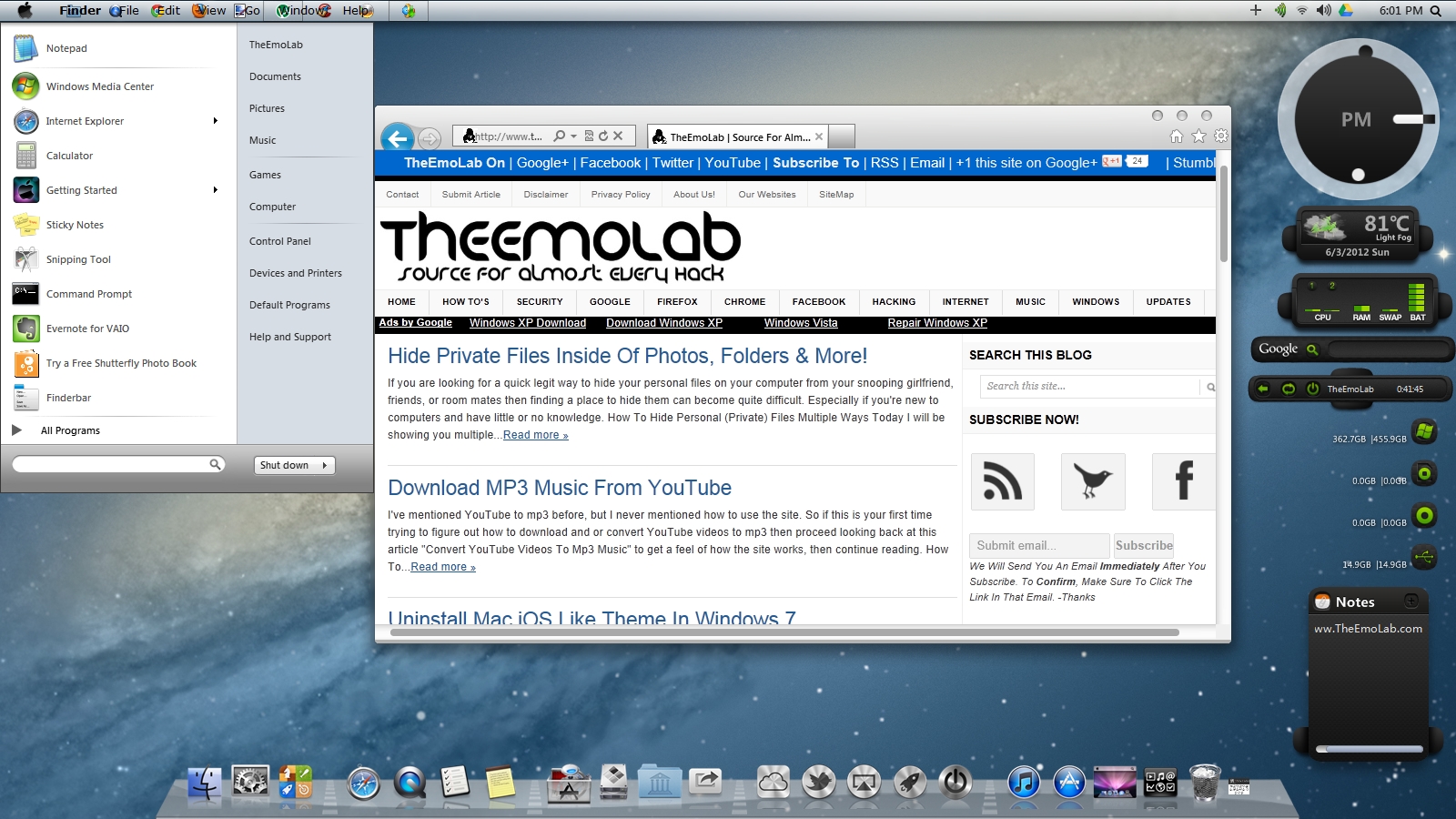
About two weeks ago we showed you guys how to Convert Windows 7 to Mac iOS Like Theme, Now today we'll be showing you how to quickly transfer Windows 7 into iOS X Mountain Lion. This skin pack makes it very easy and simple to quickly transfer and convert your Windows 7 machine to Mac iOS X Mountain Lion. For Ubuntu user again, we'll have something for you guys at a later time, so stay tuned.


How to Convert Windows 7 to Mac iOS X Mountain Lion

If you are willing to check out and convert your Windows 7 machine to try out Mac iOS X Mountain Lion, then today we will walk you threw the process of doing so with a simple skin pack. This skin pack will work for both version of windows 7 64-bit & 32-bit.
Now before you download any of the above files you must know which version to download, so before you download unless you know what you are doing continue reading below to find out which version of windows 32-bit or 64-bit that your machine is currently running on.
  • To find out click the start orb (start menu button located at the bottom left).
  • In the search box type "system" now in the program list select "System".
  • Now look for the System section, then System type.
  • It should either say 32-bit Operating System or 64-bit Operating System. (see below image)
sony-system-systemtype-64-bit-OS

In this case I'm running Windows on a 64-bit Operating System, and I have a good connection to the internet, so I will download the online version of Mac iOS X Mountain Lion 64-bit Online.


The Installation!

Now that you know the appropriate download you can begin the installation, and like always with all installations their may and may not be extra software that comes with the program, so unless you don't want the extra software that comes with this package, I recommend installing how we did below. 
  • When the installation screen appears we recommend un-checking all boxes under custom installation.

  • If you don't want to install the extra software like we mentioned above then you'll un-check that box as well. (we don't have anything against cruelty)

  • When ever you get to the welcome screen then the process of installing the skin pack should be a no brainer.

  • Through the process of installing you eventually get to a screen that tells you to reboot, I recommend rebooting ASAP.

After you reboot and log-into your machine you will recognize the familiar Mac iOS X Mountain Lion interface.


Pretty cool huh, although its not the real version of Mac iOS X Mountain Lion you could really appreciate the hard work that was put into making this skin pack.

Hide Private Files Inside Of Photos, Folders & More!

If you are looking for a quick legit way to hide your personal files on your computer from your snooping girlfriend, friends, or room mates then finding a place to hide them can become quite difficult. Especially if you're new to computers and have little or no knowledge.

How To Hide Personal (Private) Files Multiple Ways

Today I will be showing you multiple ways that you can use to hide sensitive data and information that you hold dear to your heart. What ever the case might be I'm sure one of these ways would be of some help to you. Please understand that these methods consists of basic knowledge of a computer, however we'll try to explain in the simplest way possible, in the case that you're still having problems we would be happy to help you, by simply leaving a comment along with the question. As we go through out the steps mentioned here, hiding your files will become more difficult and difficult.

1. Making Private Files Invisible "Hidden"

This is the most easiest way to hide your private files and folders. Doing this consists of basically two steps, making it invisible "hidden", then making it visible "unhidden".   
  • Simply locate the file or folder you want to hide.
  • Now (Right-Click) the file and check the box that says hidden.
  • Click Apply then tick Apply changes to this folder only, then OK.
  • Now if you look at the folder you'll notice that your file is gone and that the folder is empty.
  • This is the most basic way to hide your private files.
  • Also note if your private data still shows up but looks transparent continue with this method.

  • To make your files visible again, or if your files look transparent then open the folder options menu by clicking Start > Control Panel > Appearance and Personalization > Folder
    Options 
  • In folder options click the View tab, look for Hidden files and folders, then check Show hidden files, folders and drives.
  • However if your files are showing transparent then you'll want to click Don't show hidden files, folders, and drives.
  •  That should be everything, if I missed something please let me know.

2. Hiding Files Inside Of Pictures (Automatically)

First off you'll need a program called Camouflage you can get that from the developers site. Once you have it installed or if you already got it installed then proceed with the steps below. Also keep in mind that you'll need this file to hide and retrieve your files.
  • First open Camouflage, then browse for the file you'll want to hide, in the next field select the JPEG image that you want to hide your file inside of, then for the last field select where you want the image to be saved.
  • I put the files I want to hide inside of an zip folder, this step is optional.
  • I will be hiding my personal pictures inside of an ordinary looking picture of an Koala.
  • Please note that you can only use JPEG pictures.

Camouflage
  •  Once you hit Camouflage, and the process finishes your new JPEG image will be saved on your desktop with the beginning of the saved file reading FFC_ORIGINAL.jpg
  • If you want to recover your files then start the program again and this time simply hit the De-camouflage a file button, then follow the simple directions.

3.Hiding Files Inside Of Folder (Automatically) 

For this step you will be using a program called STEGO. This program simply creates a folder on your desktop called STEGO and inside of that folder is another folder called HIDE you'll have to place all the files you want to hide in that folder. Then run the program. Just download the program STEGO.

4. Creating A File Manager Using True Crypt

Now if you really want to hide some files from prying eyes you'll want to use a program called True Crypt. True Crypt is a encryption program that will encrypt any file to the best hidden file container. If you want to hide your file to the maximum length then this option would be the best for you, consider taking a look at Best Free Password Manager


With the steps mentioned above I'm sure you'll keep your files hidden from most prying eyes.

 Do you know of another way to hide files? Let us know in the comments. 

Uninstall Mac iOS Like Theme In Windows 7

About a week ago we showed you how to "Convert Windows 7 to Mac iOS Like Theme Under 15 Mins". Now we're going to show you how to uninstall Mac iOS like theme in Windows 7. To uninstall continue reading on.


How To Uninstall Mac iOS Theme In Windows 7

To uninstall, and revert back to windows 7 the first thing you need to do is open up the control panel by first navigating to the apple logo in the top left corner. Now on the left panel find and click "Control Panel".
 Once the "Control Panel" is open search for "Programs" section and under it search for "Uninstall a program".
Now a big list of every program you ever installed is displayed (only if of course you uninstalled some before). Now just look for "iOS Skin Pack" either right click to uninstall or highlight and click the uninstall button (located at the top).
When you click the uninstall button a box will appear, I personally recommend removing all of the content by simply checking all of the check boxes.
If a confirmation appears simply click yes.
If it ask you to reboot your computer do so ASAP. (As Soon As Possible!)

Almost Done!

One thing that I noticed after the uninstall was that my Taskbar was not located at the bottom anymore but was moved to the top. If this happened to you then follow the below instructions.


  • Right click your taskbar then click "lock the task bar" to un-check the check if checked.
  • Now drag the task bar down to bring it back to its default resting place.
  • After that you'll need to lock the taskbar once more so that it stays in one position.

Hopefully everything in this article was helpful, if not then leave a couple of comments so we can help you figure out the problem.

Convert Windows 7 to Mac iOS Like Theme Under 15 Mins

Windows 7 to Mac (Apple) Transition. Windows Conversion to Apple (Mac)
If you're a Windows 7 lover but you like the style and feel of a Mac (Apple) computer, then chances are you may be looking to have the best of both worlds. However, in this case you can get the best of both worlds.

*Update: Windows 7 to Mac OSX Mountain Lion

This article is dedicated for both Windows & Mac lovers (Dear Ubuntu User, We will have something special for you at a later time, so stay tuned.)

Mac iOS (Click The Image To Enlarge)


Note: This tweak/program will only convert/transition your appearance of your OS to the Mac iOS appearance.

 Windows 7 To Mac Transition

If you have never had a taste of a Mac computer, than I believe now is the time. Here is how you can get started.

Firstly, Determine what version of the Windows OS you are running. 64-bit or 32-bit?
To find out follow the below instructions. If you already know then you can skip this step.
  • Click the start orb (start menu button located at the bottom left).
  • In the search box type "system" now in the program list select "System".
  • Now look for the System section, then System type.
  • It should either say 32-bit Operating System or 64-bit Operating System. (see below image)

In this case I'm running Windows on a 64-bit Operating System remember this.

Secondly, Download the Mac iOS Theme accordingly to your system type.
Thirdly, Click on and install the "iOS Skin Pack" exe file.

Please Note: During the installation there will be a custom installation option. I recommend clicking the custom option. Reason why is because there is 3rd party applications that comes with the program that I recommend you don't install unless you want it. (see below image)


Also note when the options comes to reboot your computer click reboot now. Once your computer is rebooted you should notice the big change.

Find Icons For Windows & Online Projects

Find Icons Online, Website to get images / icons, PNG's for your Projects.
There are numerous search engine queries happening as you read this article, some for Hacking, some for Facebook, and even some for Twitter. But I believe the results for image search engine queries are at an all time low. Maybe it's because of out of date images and or wrong titled. That's why their are sites like Icon Pedia but we've published an article about that site already. Today we will be discussing another popular icon site.


Icon Gallery
Icon Gallery is another cool icon gallery site that features various icons and images. You can find multiple types of icons in their directory.


Just simply use the site by using the search feature. (as seen in the above image)
Link | http://icongal.com/

Clean Your Computer Fast & Easy For Free

Speed Up My / Your Computer, Clean Your Computer, Speed PC Up, Make Computer Faster. Free
With the development of many new software each day it can become very challenging to pick the best software to clean your computer. Every year we download and install 100's of software and applications to spice up our productivity, but never the less our computers begin to give us problems. One of the most popular problems with computers are their speed. If you search the internet on how to speed up your computers you'll see a lot of search results, crazy if you ask me. Explaining how their software can make your computer 400% faster, people don't believe them, they are just after your money. Anybody can make a program set up a website and sell programs that claim it makes your computer faster. Why pay for it when you can get the same results with another simpler program! or even better results.


Cleaning Your Computer
If you want a fast computer you should know that cleaning it would make it faster. A computer is like a place, you don't leave it dirty, because the next time you go in you trip over junk. This is one of the reason why your computer is slow, remember when you install a program and a couple of months later you uninstalled. Well your computer actually didn't get rid of all of the files. Some of the left over files get scattered on your hard drive. This is where cleaning software come into place. 

Aero OneClean
So since you now have an understanding of why your computer is running slow and how you can fix the problem then head over to Aero and download the following software.
  • Download Aero OneClean
  • Install the program. (no ad-ware ya!)
  • When you finish installing the program you should see a message like the below.
  • You'll now have to setup everything before you can clean.
  • Please apply your setting as follows. (Recommended)
  • Be-sure to click "Silent Mode".
Hopefully you guys understand why its is important to clean your computer. If you still don't understand please drop in a comment and we will get back with you shortly. until then :-)

Burn Iso Images Free

Free ISO Burning Software, Freeware, IMG Burn App, CD / DVD / HD DVD / Blu-ray
Their are many ISO burning software available online, the most popular are Nero, MagicISO, and PowerISO. These are the most popular because of their advanced complex features that make them stand out. However I would only recommended them to the advanced users, their shouldn't be any new users trying to figure out how to burn an ISO to a CD / DVD etc. If you are new to computers and or just want to learn how to simply burn an ISO to a CD / DVD etc. Then I personally recommend using Aero Software.
"JUST KEEP IT SIMPLE, STUPID" - OLD SAYING
 Quick Note: 
What's an ISO?
An ISO is a complete image of a CD / DVD file transferred over the internet as .iso.
How To Burn ISO Images, Simpler.
Now I will show you how to quickly burn ISO images quickly and easy.
  • Firstly, Download and install the Aero Burn software.
  • Once installed locate the ISO image you want to burn to CD / DVD.
  • Right-Click and click "Copy image to CD/DVD". 

  • Pop in a blank CD / DVD and let Aero do it's job.
  • With-in a couple of minutes the CD / DVD will be successfully done.

As you can see it took less then 20 sec to teach you how to open up and use the software. I would recommend Aero software to any new friend who are new to technology. It's easy to use and and free to install. :-)

Find Login Information On Windows

Find login passwords stored on windows. Browser password. Windows stored passwords. Pass_code.
A common feature in Windows OS today is the ability for an application to store and retrieve user-names and passwords to provide for a faster login. Such applications that uses this feature are Browsers, and most Desktop Software. We mostly use this feature to quickly bypass login pages, so there shouldn't be a need to manually type user-names and passwords over and over when logging in.

View Details of the User-Names & Password Stored.

To view stored passwords and user-names we will be using a program called password security scanner. Password Security Scanner is a small utility that scans stored windows applications passwords.


This phenomenal little application is portable (doesn't need to be installed), so you can easily transfer it place to place.
  • To begin you'll need to download Password Security Scanner from Nirsoft.
  • Unzip the file and double click the utility program.
  • Once opened it should automatically begin to search for stored password details.
  • Those stored password details should display the user-names and password length.
  • However, If you are looking to recover passwords along with the username in Google Desktop Applications click here.
  • Every row will show you each program and the user-names and passwords used with it.
  • You can also uses Advanced Searching (Click F9) to find more detailed password information.
To sum this all up Password Security Scanner is a pretty useful tool to use to monitor and track how strong passwords are and keep a detailed log on whoever been using the computer. 

Find Alternate Software To?

How to find alternate software similar to any other payed software.  Alternate search engine to find similar better software vs your current programs.  

AlternativeTo

AlternativeTo | Find Alternative Software


AlternativeTo is a user-friendly alternative search engine to find software similar/alternate to the software/program installed on your computer. AlternativeTo is user-friendly considering your a member you have thew option to vote and rate on apps/software/programs based on your personal experience. Over all this site is not based on personal Author's input.

Source: http://alternativeto.net/

Related Posts:

Hide Your IP Address The Correct Way

Surf Anonymous. Hide My Ip Address. Change My IP Address. There are tons of videos online in which teaches you how to hide your IP address. But they only work most of the times for certain people with certain OS (Operating Systems), that really blows when you're trying to stay anonymous for a day! There are also tons of programs online which hides your IP address and displays a fake IP address, one such program is Hide IP Privacy.


Hide IP Privacy provides the quickest and easiest way to transition between your real and fake IP's. 

Change Your IP Address


To change your IP address you'll need Hide IP Address which you can download and install over at Brothersoft. Once you have the program installed, displayed will be you current IP address if you want to hide your IP and replace with a fake IP then click "Hide IP". (seen in the below image)


One you click "Hide IP" you will be assigned a fake IP address (seen in the below image)


If you want to confirm that it is working then see the following post Find Your IP Address With Google Search.

Source: Brothersoft


Random Posts:

Quickly Create Folders in Text Document

How to quickly create a group of folders and sub-folders with a text file. Use a TEXT file to create and or generate a group or list of folders and sub-folders in a directory.


If you want to quickly create a group of folders in Windows you may have noticed that Windows OS's (Operating Systems) does not have the option available. As a superuser we only wish that the Windows Build Team can include the option in Windows 8. This option will be great if it is included in Windows 8, for anyone looking to make a large group of folders.  

Quickly Create Folders in Text Document

  • Firstly, create a text file with a list of folders and sub-folder.
  1. TheEmoLab
  2. TheEmoLab\Articles
  3. TheEmoLab\BackUp
  4. Movies
  5. Movies\ScreenShots
  6. Movies\Torrents\Downloads
  • To create folders simply type the name of the folder i.g. "TheEmoLab"
  • To create sub-folders type it after the first folder i.g. "TheEmoLab\Articles"
  • Note: don't forget to add the "\"sign.
  • Secondly, safe the file as the original "anyname.txt" and don't forget to add ".txt"
  • Take note on where you saved your text document.
  • Thirdly, head over to Skwire Empire to download the text to folders portable file.
  • This would be used with the text file to generate the group of folders.
  • Lastly, Run the text to folders program and find the folder in which you would like all of the folders to appear, then open up the .txt file you saved with the list of folders in which you want to create.
  • Now click "create folders"
Related Posts

Convert Windows 7/Vista/Xp Into Windows 8

How to Convert Windows 7/Vista/Xp Into Windows 8. Hack Windows 7/Vista/Xp Interface to look like Windows 8. Many of us who love Windows 7 still can't wait until the release of Windows 8, For those who have been following the Windows Build Team, you've most likely downloaded the Windows 8 Developers Preview ISO to test and get a fill of the functions of Windows 8 and if not that then you've took a peak at the Windows 8 PDF file. But if that isn't enough for your eyes then you can hack the Windows 7/Vista/Xp OS (operating system) to get a better fill of how Windows 8 will be developed.


Mosaic Project

Mosaic Project is a portable applications that brings Metro UI to the desktop. It displays content from the web and or from your computer. Mosaic looks similar to Windows 8.

Requirements 

  • Windows 7 Not Tested On Vista/Xp
  • .NET Framework 4.0

Download

Difficulty

  • Easy!

Related Posts

Install Your Favorite Software In One Download - Ninite

So you've just set up and or reinstalled a newer version of windows on your computer, now you have to spend count less hours downloading and installing the software you need for day to day use. Well before you really begin to be more productive you'll need more software installed on your system, and some of the files we use everyday depends on the software we need. Introducing Ninite a web-based app which combines numerous software into one download. We've reviewed such similar software see our post labeled "Download All Web Apps Free One Source - All My Apps".


Ninite


 Ninite is one of the best hassle free web-based installers that you will ever find on the internet. Ninite comes equip with numerous software ranging from some of the best Web Browsers, Messaging Software, Media, Run Times such as Adobe Flash Player, Imaging, Documents, etc.

Some Features of Ninite.

  • Never click, next, next, next - The process is fully automatic.
  • No Toolbars - no extra software (sponsor toolbar junk) installed on your system, gives you more control.
  • Always updated with the latest version.
  • No sign-ups.
  • Ninite decides whats best for your system 64bit or 32bit
  • International - Determines your default language and install the corresponding software.
  • and Ninite does much more.
  • http://ninite.com/
 Ninite is very simple and easy even newbie's can get the job done!

Instantly Search Text In Documents On The Internet Or Social Sharing Websites Click.To

Ever wondered of a way to quickly search text with-in files stored on your computer? Text with-in Text Documents, PDF's, Word files and more. Well wonder no more, their is software out their in which can connect your cursor and or desktop to the internet with the click of the mouse. This software limits the need to copy and paste. For example If you are reading a PDF file and you stumble across a word you don't know, so you high-light copy and pate the text into a browser and get the definition. Well this software is used to reduce the number of clicks needed to find the definition and or reason specific to your problem. With this software the only thing you have to do is high-light copy&paste (Ctrl+C) and click a provider such as Google, Yahoo, Twitter etc.

*Update Click.to available on Mac!


click.to


With click.to you can easily speed up your workflow. Click.to is a free app which turns everything on your computer into a hyperlink to the world wide web, social sharing websites, and more. With-out click.to you are forced to take the long route in doing things, thing in which are meant to be done quickly.
 Click.To is better known as the app with many features. Learn More...

Upload Images To Facebook Quickly


or


very simple and easy to use, and can quickly speed up your workflow!
Download Click.To

Quickly Generate Thumbnails From Videos - Thumbnail me

How to quickly generate thumbnails from videos for free, with open source software. If you ever attempt to take screens of videos to share them with family and friends or on the internet you may have clicked "prnt scrn" (Print Screen) and paste it in a image editor say "Paint.NET" crop'd it then save it, not knowing their is an easier way to do so. Introducing Thumbnail me a tool to quickly convert your favorites videos into thumbnails with-in a few seconds.

Thumbnail me

"Thumbnail me is an open source software project based on the ‘Movie Thumbnailer’ binary." An open source free thumbnail generator based on the ‘Movie Thumbnailer’ binary, which comes available for Windows XP/Vista/7 (32 or 64 bits), and GNU/Linux (32 or 64 bits). It's coded in C++ and uses the Qt library.

Videos Formats Supported
  • Audio/video Interleave (*.avi)
  • Matroska Video (*.mkv)
  • Transport Stream (*.ts *.m2ts)
  • MPEG video/systems stream (*.mpeg *.mpg *.mp4 *.vob *.dat)
  • Windows Media Video (*.wmv)
  • Ogg Vorbis (*.ogg)
  • 3rd Generation Partnership Project (*.3gp)
  • Quicktime Movie (*.mov)
  • Flash Video (*.flv)
  • ShockWave Flash (*.swf)
Output Formats
  • JPEG (Joint Photographic Experts Group) 
  • PNG (Portable Network Graphics) 
  • BMP (Bitmap) 
  • TIFF (Tagged Image File Format) 
Upload Interface
  • imageShack upload interface 
  • Authentication/Anonymous upload 
  • Resize your thumbnails 
  • Set privacy and tags name
  1. http://thumbnailme.sourceforge.net/
  2. http://www.thumbnailme.com/
Know of any other free thumbnail generators?

Stuxnet a Microsoft Windows Computer Worm

Stuxnet a Microsoft Windows computer worm discovered in july 2010, found that it targets industrial software and equipment, the first weapon made entirely of code. Its the first discovered malware to include (PLC) Programmable Logic Controller Rootkit, and the first to also spy on and subverts industrial systems, without being detected and indiscriminately spreads through out the whole system. Learn More Stuxnet.


Stuxnet Infographic

Stuxnet: Anatomy of a Computer Virus from Patrick Clair on Vimeo.

An infographic dissecting the nature and ramifications of Stuxnet, the first weapon made entirely out of code. This was produced for Australian TV program HungryBeast on Australia's ABC1


Direction and Motion Graphics: Patrick Clair www.patrickclair.com

Written by: Scott Mitchell


Production Company: Zapruder's Other Films.


Best Free Open Source Software ZeroDibs

Best free open source software for download, why not start download free open source software's now, ZeroDibs is the best open source directory to download free software's such as internet, office, creative, multimedia, system, misc, and also the best of directory. Unlike All My Apps a article we posted a while back, every single thing on ZeroDibs is free, thanks to the creator's of the code. Thanks!! If you are currently wondering what open source software I'm currently using here is the list, "UTorrent", "Paint.Net", "FileZilla", and "Firefox".


ZeroDibs

ZeroDibs is just another place to download and install free open source software!!

Convert File Any Format Online Bender Converter

Convert any file to any format online for free, also convert and save YouTube videos as video or mp3 music file. This all can be done by a online converting service, also known as internet applications (apps), all for free, but this internet tool also comes with a downside also known as a limit, unfortunately for this site the download limit is 2 times a day, meaning you can only download from the website twice daily, but don't worry there are tons of other websites out there some of though we have already written about in the past, such as converting multiple files, converting YouTube videos to MP3 music, and Top 3 YouTube to MP3 converter, but enough with the old content and on with the new content, the internet app we will be using today is called Bender Converter.


Bender Converter

Bender Converter is an easy-to-use online application for downloading and converting videos from such services as YouTube, Daily Motion, Mega Video, Vimeo, TwitVid.com, Veoh, Google Video and many others. You can download video and audio in MP3, AVI, FLV Flash, iPod / iPhone and other popular formats. The service is fast and doesn't require you to register. All that you need is a link to a page with a video and our software.

Site Link: http://benderconverter.com/

Source For Almost Every Hack!

About Me

Powered by Blogger.

Blog Archive

About Us

TheEmoLab - sponsored by IntenseNetwork

Welcome to TheEmoLab, a blog which started in the technology field in May 2010, Here we are committed to focusing on post covering How To Guides, Cool and Useful Websites, Computer Tips, Hacking, Mobile, Social Networking, and other fields of interest. Launched in May 14, 2010 by Melvin Corney, we still consider our self a developing site, growing and expanding each and every day. Earning respect and reputation by different authors and readers.Read More>>

Recommend us on Google!