Our amazing new site will launch in
Showing posts with label Google Plus. Show all posts

Google Launches TV Commercial for Google Plus

Google has been dominating the internet since the launch of their new social networking site Google Plus. They've been updating all of their services with new designs and special integrated features. However their most recent project is advertising Google+. They launched a TV Commercial for Google Plus in the U.S so far.
Google+ is nothing compared to Google Buzz(Google's Fail Attempt At Social Networking), Facebook Beware!

Google Navigation "Google Bar"

It was about six months time when Google first rolled out the first design they call the "new look", and it still seems that they are tweaking their services to perform better on the behalf of us. - Thanks Google!


The next stage in Google's design is the "Google Bar." Supposedly they want to speed up navigating between sites and or to integrate Google Plus better with-in the navigation so we can better share what we love online.


The plan is to get rid of the horizontal black bar located above at the top of the page, and replace it with a more advanced navigation system (seen above). Learn more by watching the below video.

Introducing the new Google Bar


Source: Google Blog

Get Google Plus Page Widget

How to get Google Plus widget. New beautiful better Google Plus widgets. Google Plus Page plugin. Google Plus Page badge. Google Plus Page button.

Just recently Google launched Google+ Pages for business owners and website owners. When they first launched Google+ Pages they had limited widgets, now their are more beautiful widgets.

The widgets looks like the following.

Standard badge (Live Preview)


Small badge (Live Preview)


Small Icon (Live Preview)
TheEmoLabon

Medium Icon (Live Preview)
TheEmoLabon

Large Icon (Live Preview)

TheEmoLab
on Google+


Google+ Page Widgets

If you are interested in making a widget for your Google+ Page visits Google Developers Tools
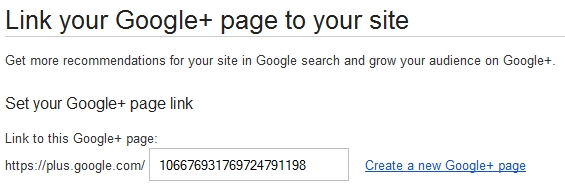
Keep in mind you must know your Google+ Page url
https://plus.google.com/u/0/b/106676931769724791198/
  •  Once you get your Google Plus Page url type it in the box provided.
  • Choose Your Style.
  •  Get your code and please make sure to follow the directions to place the code accordingly. 
Any Questions, Comments, and or Concerns Please ask. 

Connect All Social Sharing Websites - About.Me

How to connect all social networking websites to one another to share them all. Create a free About Me Page to share online with a url. If you're a blogger and love to hang out on Google+, Facebook or any other social networking website then their comes a time when you want everyone to know what social networking website you're hanging out on. This is where About.Me takes over.


Demo

About.Me


About.Me is a place where you can connect all of your social networking profiles together and write a full bio about your self and not have to worry about the hassle of updating numerous profiles a day. With About.Me you can simply share a link with friends and family online, you can even us it as your about page on your blog. Totally up to you!!
Source: https://about.me/

Create a Google+ Plus Page

How to create a Google Plus page for your fans, followers/subscribers. Google+ has recently introduced +1 Pages for Local Business, Products, Brands etc. Creating a page brings you closer to your fans, followers/subscribers, thus updating them to drive traffic back to your Local Business, Product, Brands etc.


*Update Video*


If you're interested you might want to create a Google+ Page ASAP. (recommended!)

Create a Google Plus (+1 Page) Page


  • Point your browser towards https://plus.google.com/pages/create
  • Pick a Category and fill out the information about your service. e.g. "Product or Brand"
  • Accept Google+'s Terms and hit "Create" button.
  • Your Page is now set!

What Now? [Optional]

Here are a few optional steps which can really have a huge impact on your site.

Connect your website with Google+


Tell the world about your Google+ Page

Build and developed your circles
  • Once you've shared (promoted) your Google+ Page URL.
  • You will start to gain more traffic and customers as your circles grow.
Source: http://www.google.com/+/business/

Google+ vs. Facebook

Even as adoption of Google Plus by new users seems to be slowing down a bit less than three months
after its launch in June 2011, the experts are yet undecided as to who will win the battle for number one
place in the social networking arena, Google Plus or Facebook. The bitter lessons that the Internet giant
learned in the social media space with Google Buzz and Google Wave may stand it in good stead, but
in the modern open source age, lessons are really out there for all to learn. Facebook’s privacy controls
debacle has not resulted in a significant drop in active users, following a concerted campaign to educate
them about existing and new features.


Look at how the two social networking platforms stack up against each other when compared from an
end-user perspective.

1. A suite of web services versus a standalone social network.

Facebook, a social network has become a part of our daily lives. While, the highest number of Google
Plus adopters were existing users of other Google services, such as Gmail, Picasa, Google Reader, and
Google Docs. The reason was the ease with which this social networking platform allowed all these
services to be integrated into one place. In addition, for people not using the other web services, joining
Google Plus gives instant and single log-in access not only to all of the services, but also allows users to
use features of other services without actively using them. Google has also cleverly repackaged other
services and built them into Google Plus in a similar way, such as multi-user text and video chat, and a
feed reader in the form of the Sparks feature.

2. Multi-user real time video chat.

The “next big thing” was due in the realm of video chat for quite a while, but no one had really
anticipated the top grade multi-user video chat that came with Google Plus. With surprising image and
streaming quality even on middle of the road broadband line, Hangout really pushes the envelope as far
as technical finesse is concerned. Even though, Facebook came out with a plain vanilla video chat option
soon after, Google has gained the lead as far as this aspect is concerned.

3. Privacy features out in public.

Many observers ascribe the phenomenal early adoption rate of Google Plus to the privacy issues with
the Facebook way of sharing everything with everyone by default. Google Plus circumvents this with
the concept of independent Circles of contacts, letting you share specific content with particular sets
of people. Facebook has a similar level of sharing control called lists, but this was something that many
people were either unaware of or found complicated to access and utilize. Of late, though, Facebook has
begun putting its privacy tweaks out in the open in an attempt to reassure its users.

4. A difficult to beat network in terms of numbers.

Facebook has the incredible advantage of 750 million users, something that Google Plus can only look
at longingly for the near future. With this huge user base and a seven-year lead in the social networking
field, Facebook is at a clear advantage.

5. Innovative users find hidden value in Google Plus.

The fact that Google is often seen as the lone voice in the wilderness against the evil empire of
corporate monopoly has seen a greater adoption of its services by the creative, alternative-lifestyle
population. One of the first trends that set Google Plus apart from Facebook was the innovative ways
that people began using the features on it, from real time video blogging and collaborative writing, to using the streams as classrooms, life-hack tutorials and discussion centers.

At the end of an unbiased pros and cons analysis, it is clear that for those wanting to get on to the social
network to find and reconnect with long lost school friends and family members, Facebook is still the
preferred destination with its sheer volume of users. To date, there has been little in terms of front page
features that set the Stream of Google Plus apart from Facebook’s Wall. The privacy control offered
by Circle is really just a tweak on the List feature, and with the new campaign to promote its privacy
features, Facebook is fast shedding its risky image. For those who migrated to Google Plus thinking it is
a more serious platform, well, you might not have noticed the games tab that has shown up over the
last month! However, the video chat feature in Google Plus is really cool, and it will take some effort to
match it. For users already on other Google services, there is a lot of comfort in this Taco-Bell-meets-
KFC application. But other than these two, there is little to write home about as far as Google Plus is
concerned. For all purposes, both these giants are equally placed in the battle for the social media log-
ins.

About the author: Alia Haley is a blogger who loves splurging on laptops and smartphones. Being a hard
core biker, she is always on a lookout for latest bikes and recently has become a big fan of portable
bikes.

Related Post

Google+ Plus Vanity URL Services

How to get a vanity URL for your Google Plus (Google+) Profile. There comes a time of day when you want to share your Google+ profile with the world, over the internet, offline, sms etc. But the problem starts when you start to type the long Google+ url that looks like https://plus.google.com/100459174466438792296/posts such urls like this is really complex and complicated to remember.  Google+ has no option for a vanity url, so what now? We can use third party sites similar to link shortners to redirect or direct a user to our Google+ Profile with a neat and unique url. "The quickest way to share a lot of url / links.


Getting A Google Plus Vanity Url

Getting a Google Plus vanity url is quiet simple, and vanity url are found in many different websites such as Twitter, Facebook, and Linked-In. To acquire a vanity url just visit one of the below sites. Note: A vanity Url is a Url or domain name, created to point to something to which it is related.
To get started with one of the services above visit one for example http://glpl.us/, type a nickname and enter your Google+ profile id. see below images.


Your Google+ id looks like 100459174466438792296 you can get it by visiting your profile page
https://plus.google.com/100459174466438792296/posts
Once you have entered the following information click "create your url" generated should be the link to your new vanity url, simialr to ours http://glpl.us/theemolab now you can share your vanity url over the internet, offline, and or by sms.

Know of any other vanity url services drop in your comments please!

Intergrate Linked In, Facebook, And Twitter In Google Plus

If you have recently moved over from Twitter, Facebook, and Linked-In to Google+ (Google Plus), then you like most of people don't want to leave your friends behind. Instead their is a option to integrate Facebook, Linked-In, and Twitter into Google+. With a new Google Chrome add-on you can easily connect with your friends and family from different social sharing websites. Also for those who aren't still on Google+ and or cannot get invited read "Free Google+ Invites In 3 Steps" to quickly get an account with in 2 days time or less.


Integration with-in Chrome


 We can use the powerful browser Chrome to integrate Facebook, Twitter, and Linked-in with Google+ (Google Plus), using an add-on called Gooce+.
  •  Open your Google Chrome Browser and Navigate to the following website 
  • https://chrome.google.com/webstore/detail/dmcmkedikhmmilolhmdfjodageiickkl?hc=search&hcp=main#
  • Click add to Chrome and wait intill it install
  • Log-in to Google+
  • With-in a couple of seconds should be displayed Twitter, Linked-In, and Facebook Icons.
  • Log-in to Facebook, Click allow, you might get an error simply naivigate back to http://plus.google.com/
  • Do this for the rest if they may have errors also
  • Other then that everything should work appropriately
Know of anything else, drop in a comment?

Free Google Plus Invites

So everyone is hearing the great news about Google Plus (Google+), the new social networking website by Google, launched on June 28th, 2011. Well of course you've heard about it. But the reason I'm writing this post is to get you guys invited. It took me a while to get an invite, now that I have one, you guys can have one also! :-) Free And Unlimited Not (150 Invites Left)

Google Plus (Google+)


Get Google+ Invite In 3 Steps!
After I have gotten my Google+ invite I created a simple 1, 2, 3, step website so others can get their free invitations as well. This site is more like a trade! The site is called the PlusOneClan, were you basically complete 3 steps to receive a Google+ invite.

Want a Google+ invite, Still stuck on the waiting list, well wait no more, we can invite you!

 What You Need!
  • Gmail Account AKA (@gmail.com) address only!
  • Patients
What You Don't Need!
  •  Money $$ we will never charge you money for an invite.

Visit the site by following http://plusoneclan.blogspot.com/
Hopefully we will be seeing you there!

Source For Almost Every Hack!

About Me

Powered by Blogger.

Blog Archive

About Us

TheEmoLab - sponsored by IntenseNetwork

Welcome to TheEmoLab, a blog which started in the technology field in May 2010, Here we are committed to focusing on post covering How To Guides, Cool and Useful Websites, Computer Tips, Hacking, Mobile, Social Networking, and other fields of interest. Launched in May 14, 2010 by Melvin Corney, we still consider our self a developing site, growing and expanding each and every day. Earning respect and reputation by different authors and readers.Read More>>

Recommend us on Google!